 Guides
 API Reference
Install Sona Tracking Script for Documentation through Google Tag Manager
Deploy Sona through Google Tag Manager: no code changes to your site required.
In this guide, you'll learn how to easily integrate the Sona tracking script into your documentation using Google Tag Manager (GTM) for seamless deployment and management. GTM allows you to add and update the Sona tracking script without modifying your site’s code, providing a more flexible and efficient implementation. With this setup, you can enable key Sona features, track engagement, and enhance your documentation experience effortlessly.
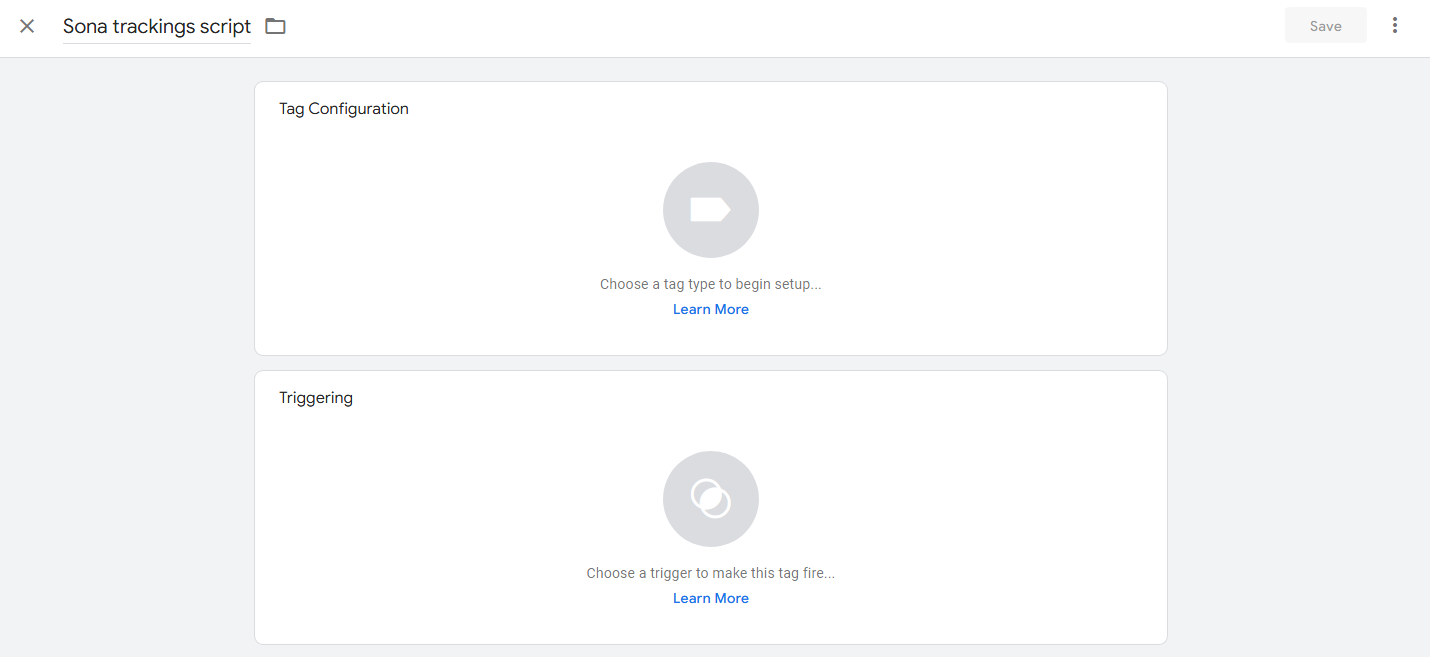
Step 1: Add a new tag
Create a new tag and give it a name.
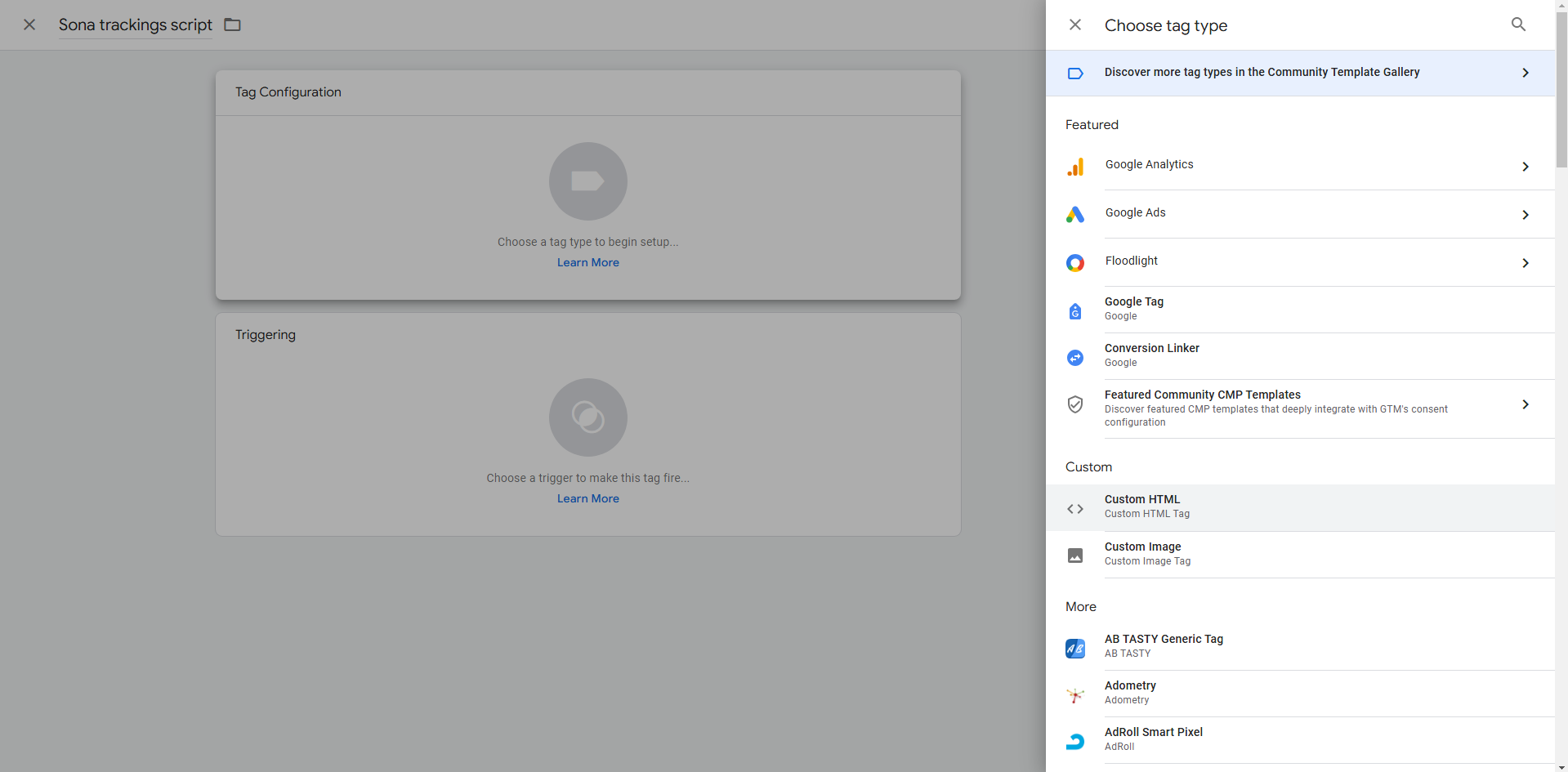
Step 2: Configure the tag
Click Tag Configuration and select Custom HTML.
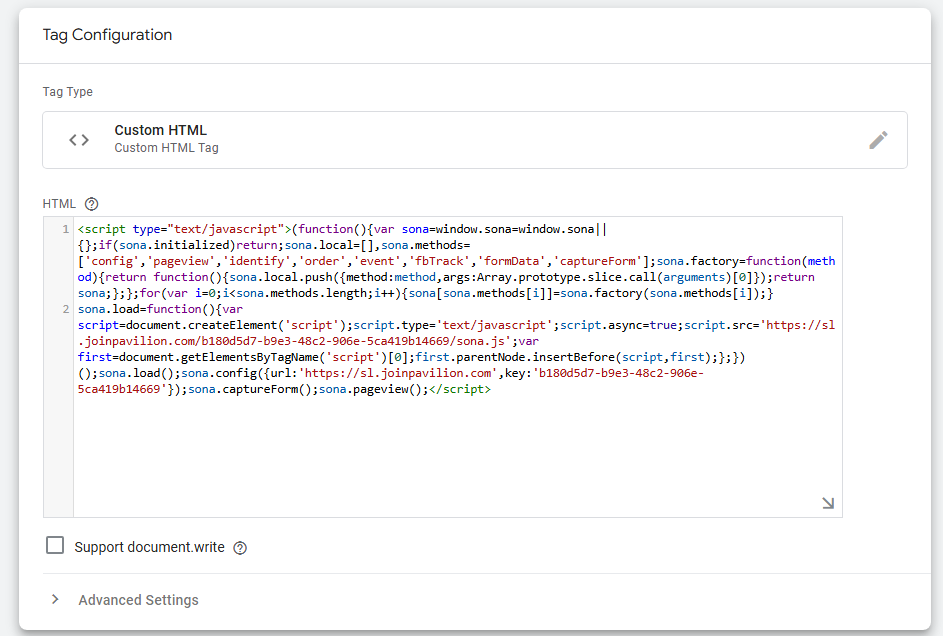
Step 3: Paste the Sona tracking script
Insert the Sona tracking script into the HTML field.
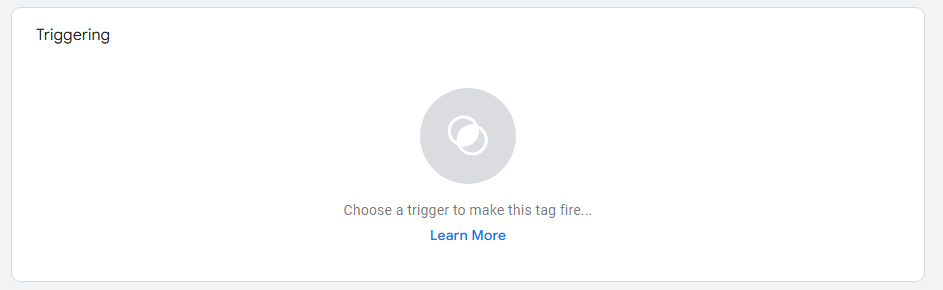
Step 4: Open Triggering
To make the script work, click Triggering located below Tag Configuration.
Step 5: Select a trigger
Choose a trigger based on your preference.
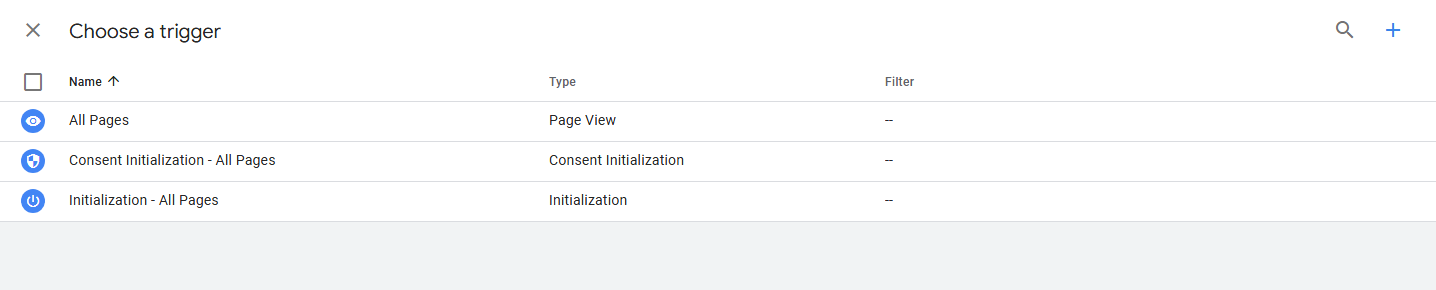
You can also create a custom trigger by clicking the + icon on the top right side.

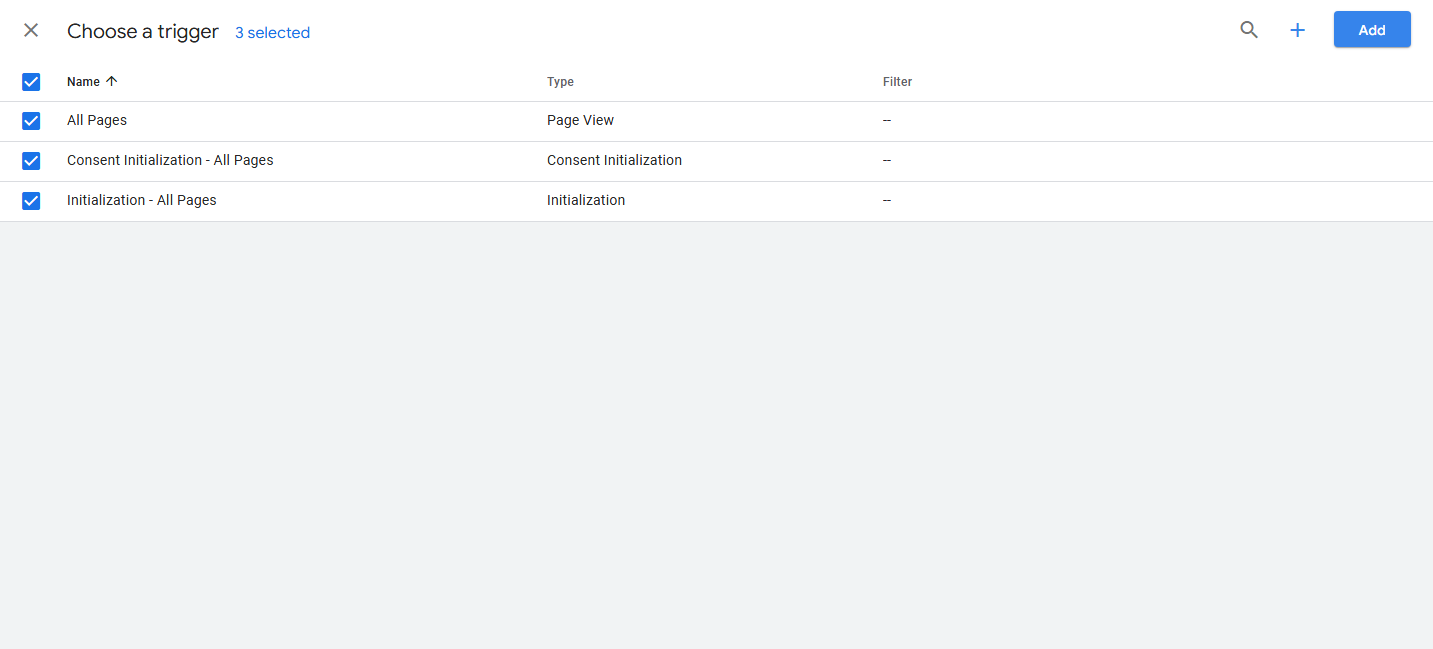
Step 6: Add the trigger
Click Add to save the selected triggers.
Step 7: Save the tag
Click Save to keep the tag configurations.

You can now add the Google Tag Manager script to your website, and it will track users through the Sona tracking script as well.