 Guides
 API Reference
Prompts & Topics
The library of prompts you track your brand's AI visibility against, and the topic clusters that organize them.
A prompt is a query you want to measure your brand's visibility against: the kind of question a buyer might ask an AI assistant about your category. The Prompts tab is where you build and manage that set, and group it into topics.
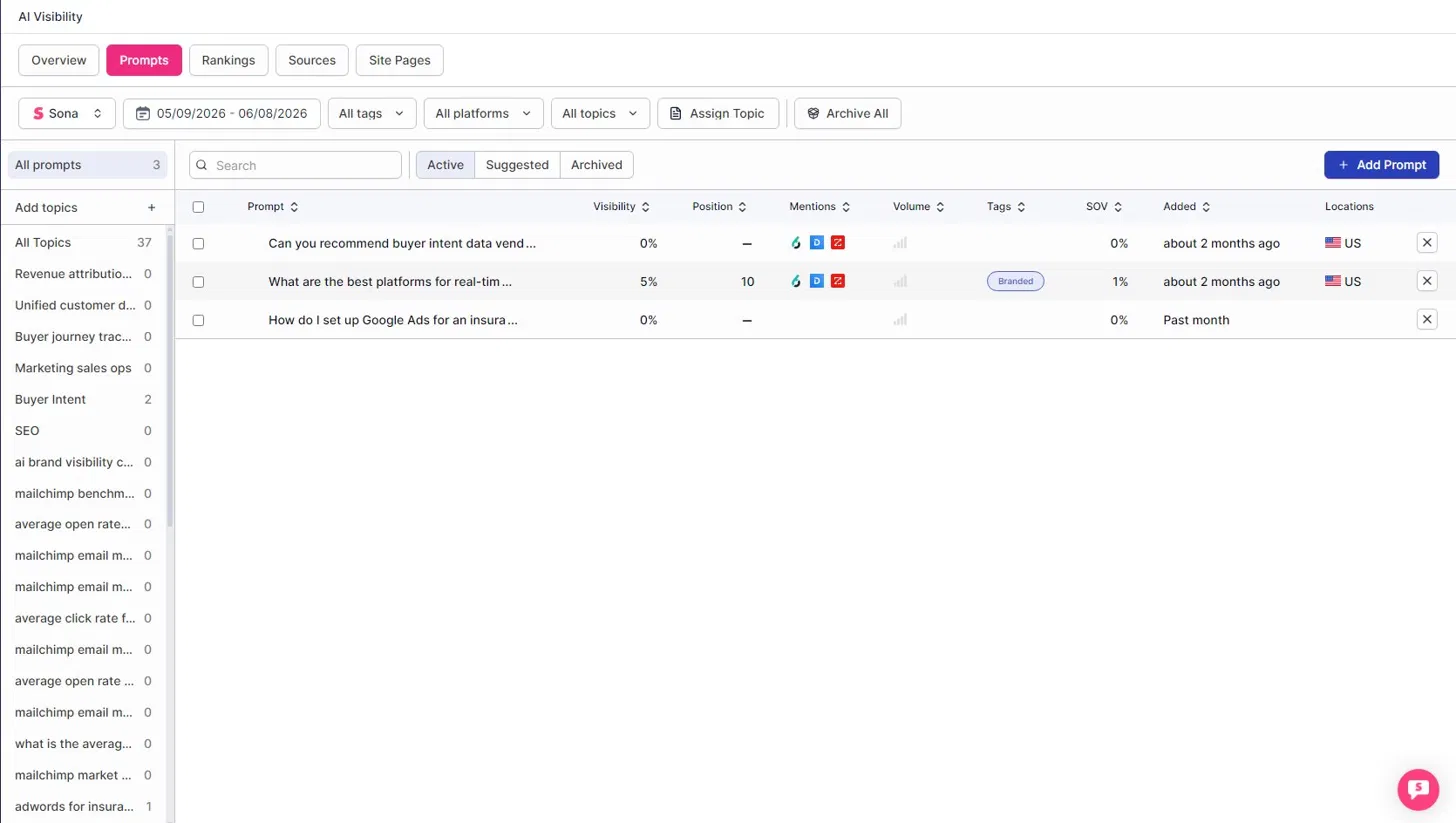
Topics (left rail)
Every prompt rolls up into a topic cluster (for example: Revenue attribution, Buyer journey tracking, Buyer Intent, SEO). The count next to each topic is how many active prompts it holds.
- Use Add topics to create new clusters.
- Use Assign Topic to bucket prompts into a cluster.
Prompt states
Prompts live in one of three states:
- Active: prompts currently being tracked.
- Suggested: prompts the system thinks are worth tracking, surfaced for you to review.
- Archived: prompts you've retired.
Use Add Prompt to start tracking a new query manually.
What each prompt tells you
Every prompt in the table carries its own visibility signals:
- Prompt: the query being tracked.
- Visibility: how often your brand appears in the answer to this prompt.
- Position: the average rank your brand holds when it does appear (lower is better).
- Mentions: which brands and LLMs appeared in the answer (shown as icons).
- Volume: relative search / ask volume for the prompt.
- Tags: labels such as
Branded. - SOV: share of voice for this prompt.
- Added: when the prompt entered tracking.
- Locations: the region the prompt is tracked for (e.g. US).
Keep your prompt set focused on your real category. Off-topic or test prompts dilute your Visibility and SOV signal. Archive them so your metrics reflect the queries your buyers actually ask.