 Guides
 API Reference
Site Pages
How your own site is being discovered and cited by AI — which pages are indexed, how they rank, and which ones drive your brand into AI answers.
While Sources shows the third-party pages AI cites, the Site Pages tab turns the lens on your own site. It has two sub-views: All Site Pages and Watched Pages — a focused subset you choose to monitor closely. Use Rediscover URLs to re-crawl your site so newly published or updated pages are picked up.
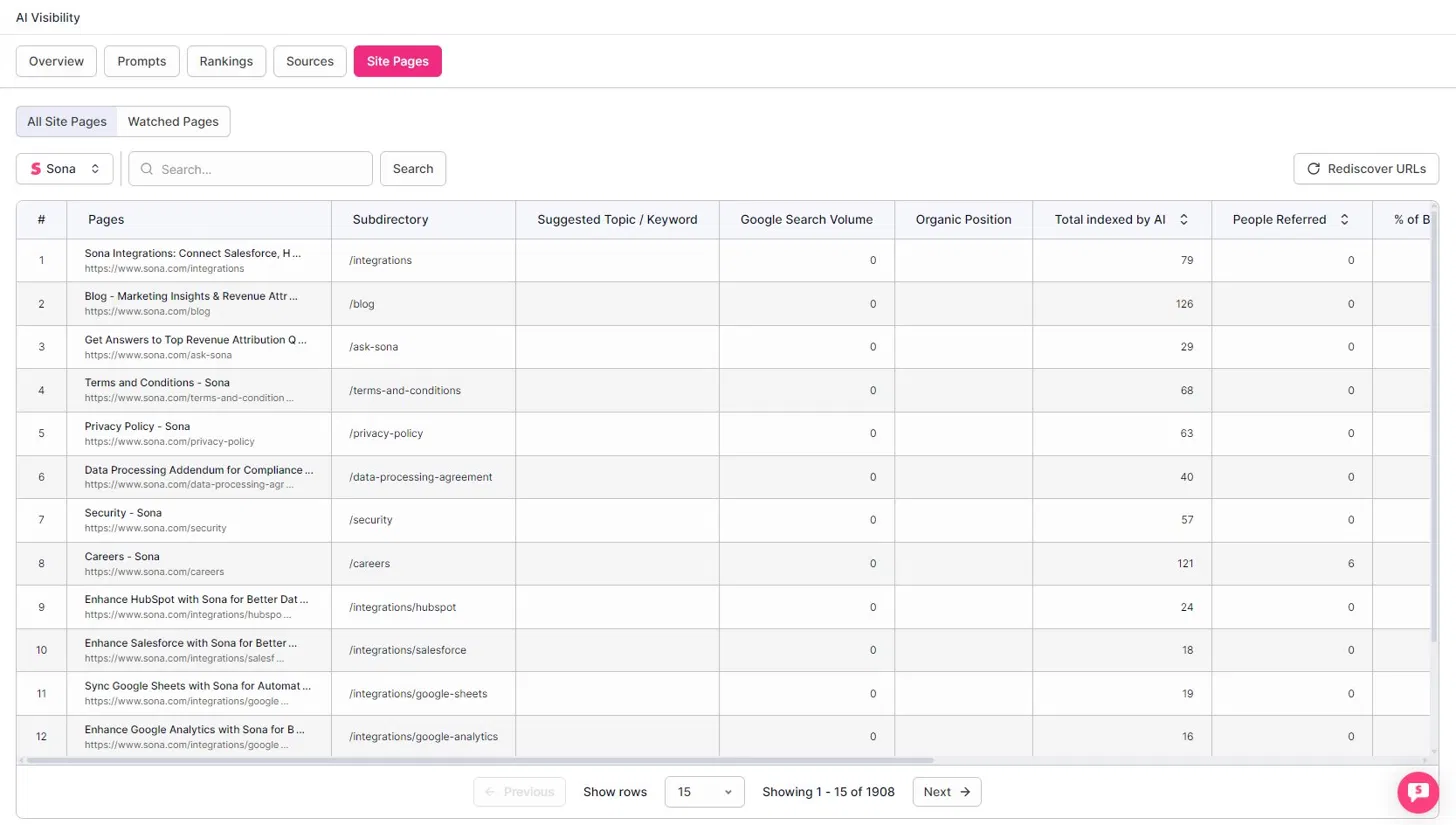
What each page tells you
For every page on your site, the tab reports how findable and influential it is for AI:
- Pages — page title and URL.
- Subdirectory — the path bucket the page lives in (
/blog,/integrations, etc.). - Suggested Topic / Keyword — a recommended target for the page.
- Google Search Volume — search demand for the page's topic.
- Organic Position — the page's Google ranking.
- Total indexed by AI — how many of the page's sub-pages / chunks AI has indexed.
- People Referred — visitors the page drove.
- % of Brand mentions — share of brand mentions attributable to the page.
How to use it
Pair search demand with AI indexing: a page with high Google Search Volume but low Total indexed by AI is content buyers want that AI hasn't picked up yet — a clear optimization target. Add the pages you're actively working on to Watched Pages and track their indexing over time.
Use Watched Pages to track the pages you're actively optimizing for AI citation, and check their Total indexed by AI count over time to confirm that new content is being picked up.