 Guides
 API Reference
Find Buyer Contact
Access full buyer contact details — email, LinkedIn, job title, and seniority — directly from the Identified view in Sona.
Sona makes it easy to access and manage buyer contact information, ensuring seamless communication with your customers. Having accurate buyer details allows you to personalize outreach, improve customer relationships, and drive business growth. Whether for follow-ups, support, or marketing efforts, quickly finding the right contact helps you stay connected and provide a better customer experience.
Step 1: Navigate to Identified
Go to Identified under People in the left sidebar.
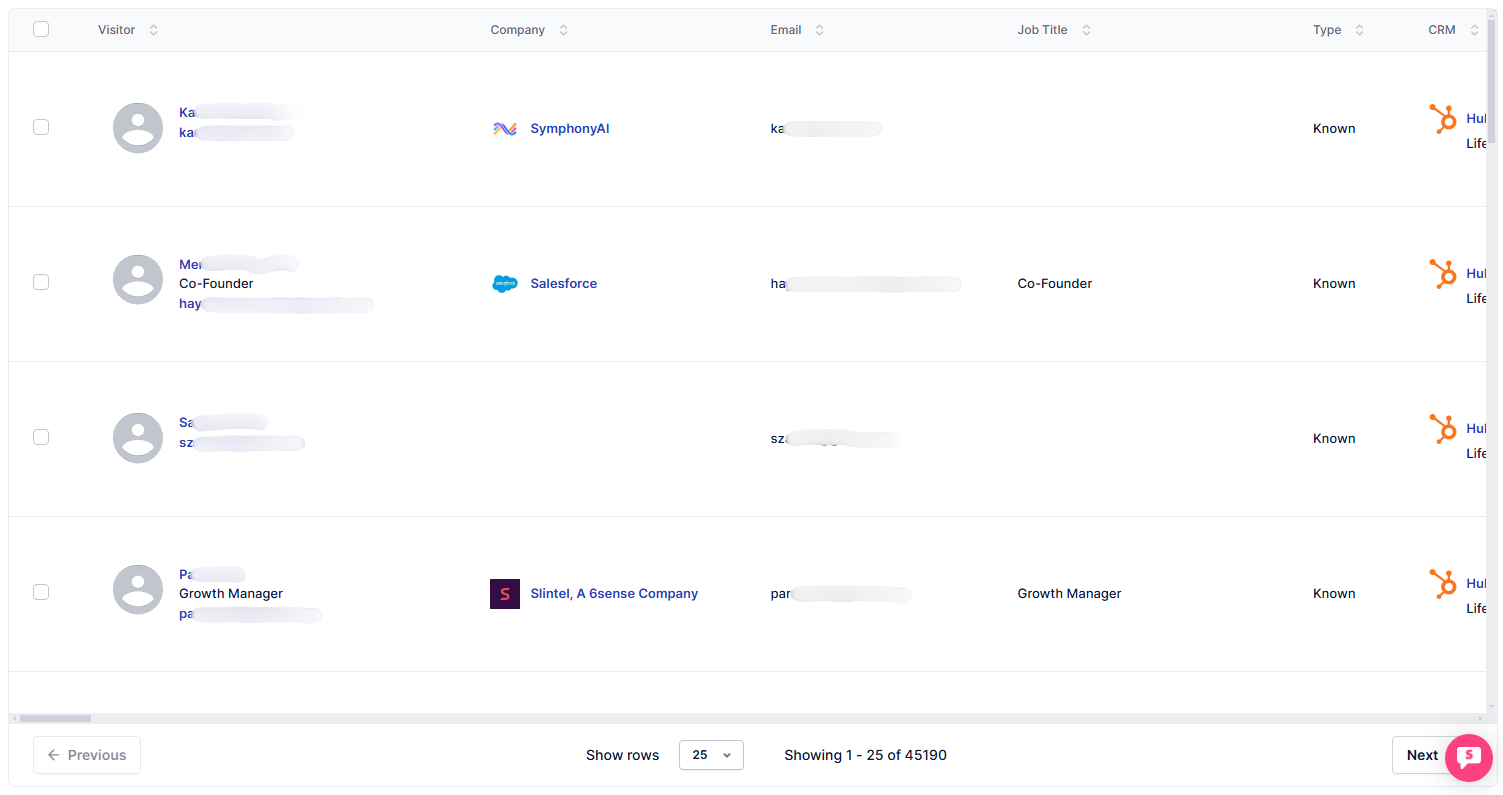
Step 2: Apply buyer filter
Add a filter to display only buyers in the table.

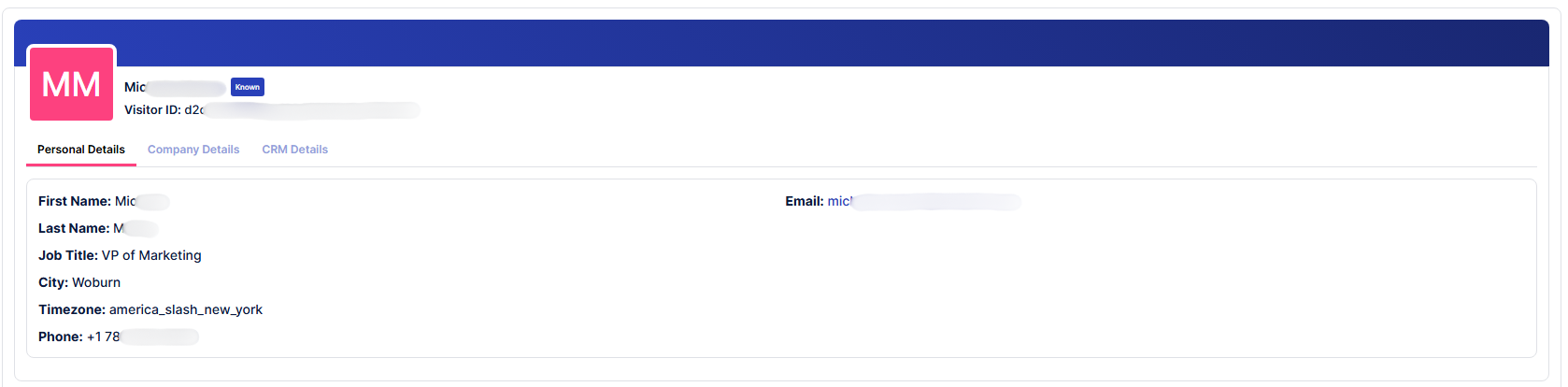
Step 3: Open buyer profile
Click on the buyer's name or email.

A new page will open, displaying details about the buyer, including their contact information.
Cross-reference the buyer's LinkedIn profile and job title before outreach — personalizing your first message to their specific role and department significantly improves response rates.