 Guides
 API Reference
Buying Stage
See where each account stands in the buyer journey — from first awareness through to purchase — so you can prioritize outreach and match messaging to their stage.
Buying stages are typically categorized into several phases:
- Awareness
- Consideration
- Decision
- Purchase
Each stage captures different actions and behaviors of a potential customer.
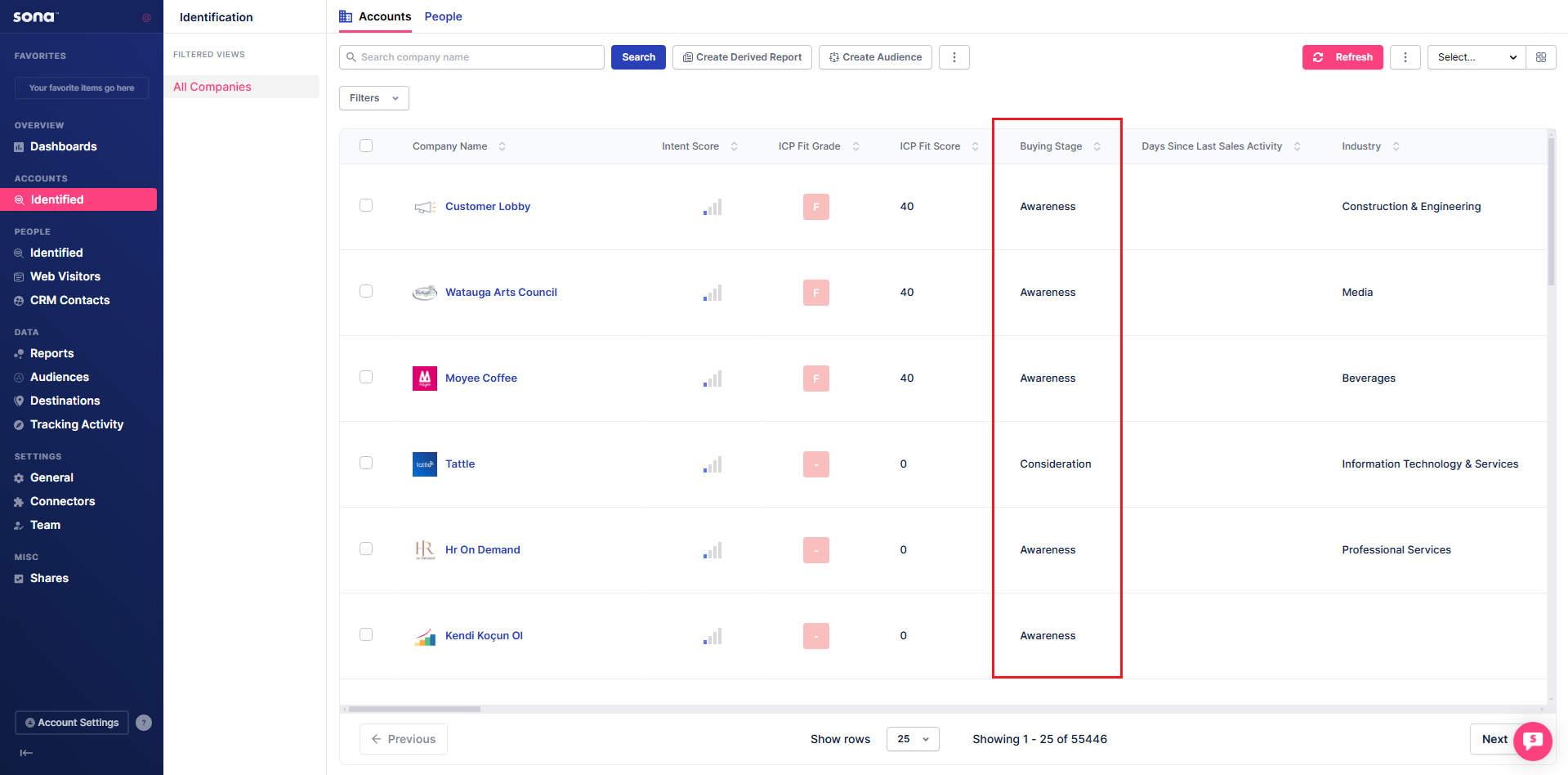
Understanding each stage
Awareness
- What: Early-stage prospects discovering your brand through their first website visit.
- Action: Track visits and engagements to identify interest and nurture with educational content.
Consideration
- What: Prospects actively evaluating your product by engaging with content, filling out forms, or viewing pricing.
- Action: Track intent signals and engagement trends to identify interest and follow up with targeted messaging.
Decision
- What: Prospects are highly engaged, repeatedly visiting key pages, reviewing case studies, or spending significant time on your site.
- Action: Monitor intent signals and engagement trends to initiate direct outreach and guide them toward conversion.
Purchase
- What: Prospects showing strong buying intent by engaging with pricing pages, spending extended time on key content, or requesting a demo.
- Action: Facilitate the purchase with clear next steps, personalized support, and timely follow-ups to close the deal.
Filter Accounts based on Buying Stage
Step 1: Open Filters
Click the Filters dropdown.
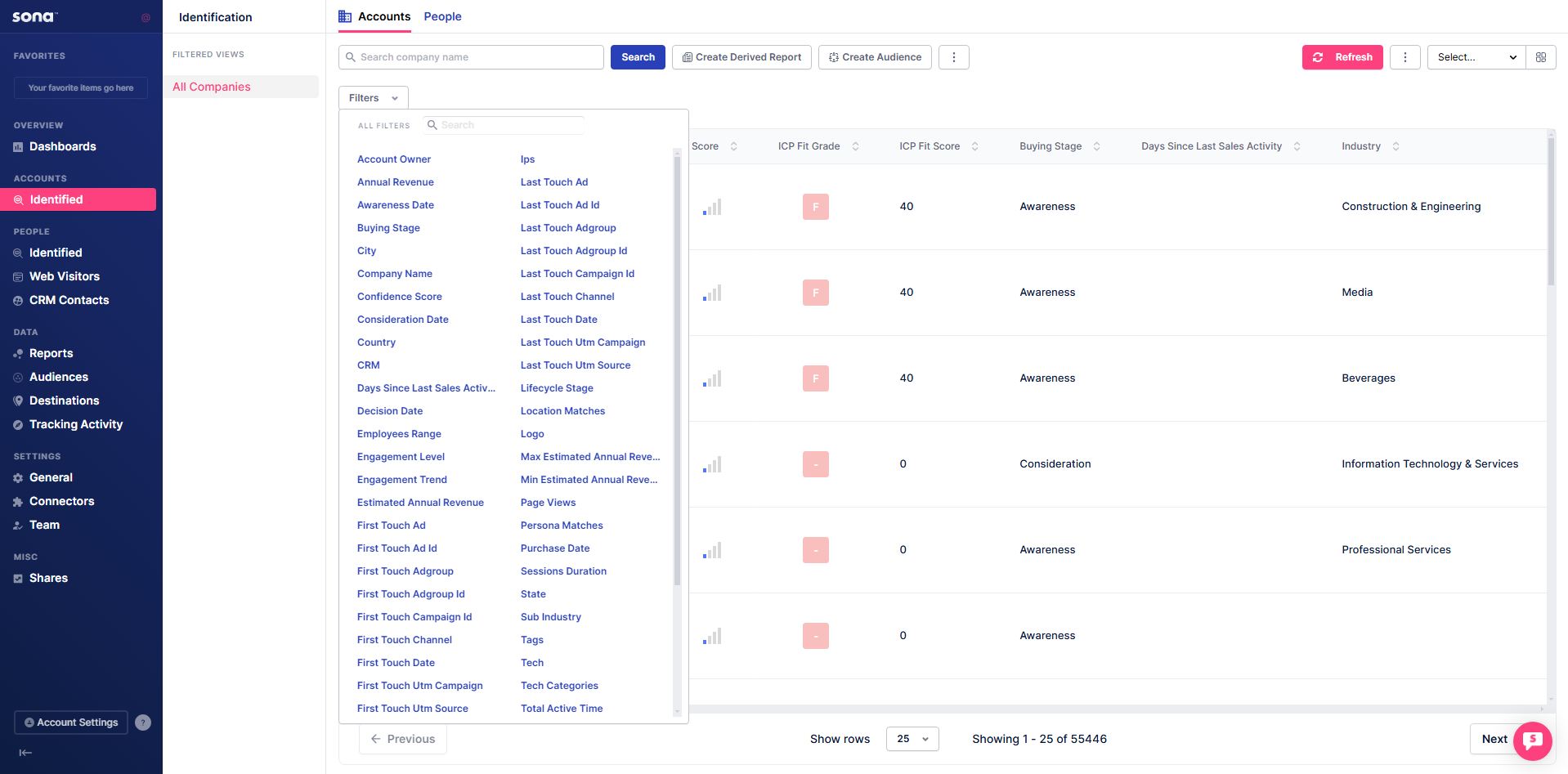
Step 2: Search for Buying Stage
Type Buying Stage in the search bar inside the Filters dropdown.

Step 3: Apply Buying Stage conditions
Click on Buying Stage and add the desired conditions.

After adding the filter, the table is now ordered based on the specified condition.
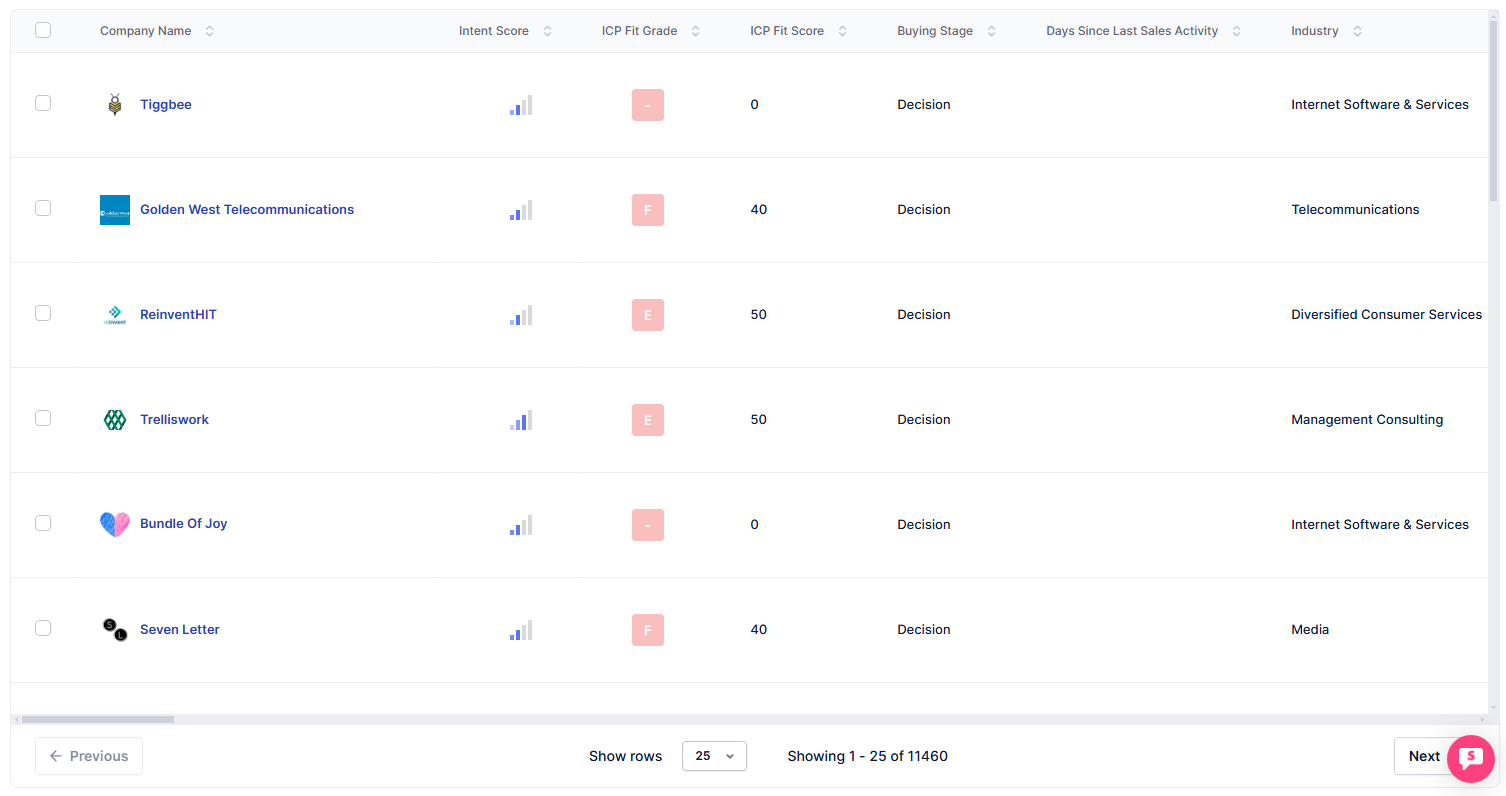
tip
Filter for Decision stage accounts and set an alert for their pricing page visits — these are your highest-priority outreach candidates.